
Wallet & payments
Card, bank, and crypto in one ledger.
Methods are configured by the broker: a card payment link, a network address, an optional QR. We do not publish a fake PSP marketplace.
PROBLEM
Cash usually lives in a PSP dashboard, a spreadsheet, and a Telegram chat. Withdrawals get lost between them.
Live cabinet
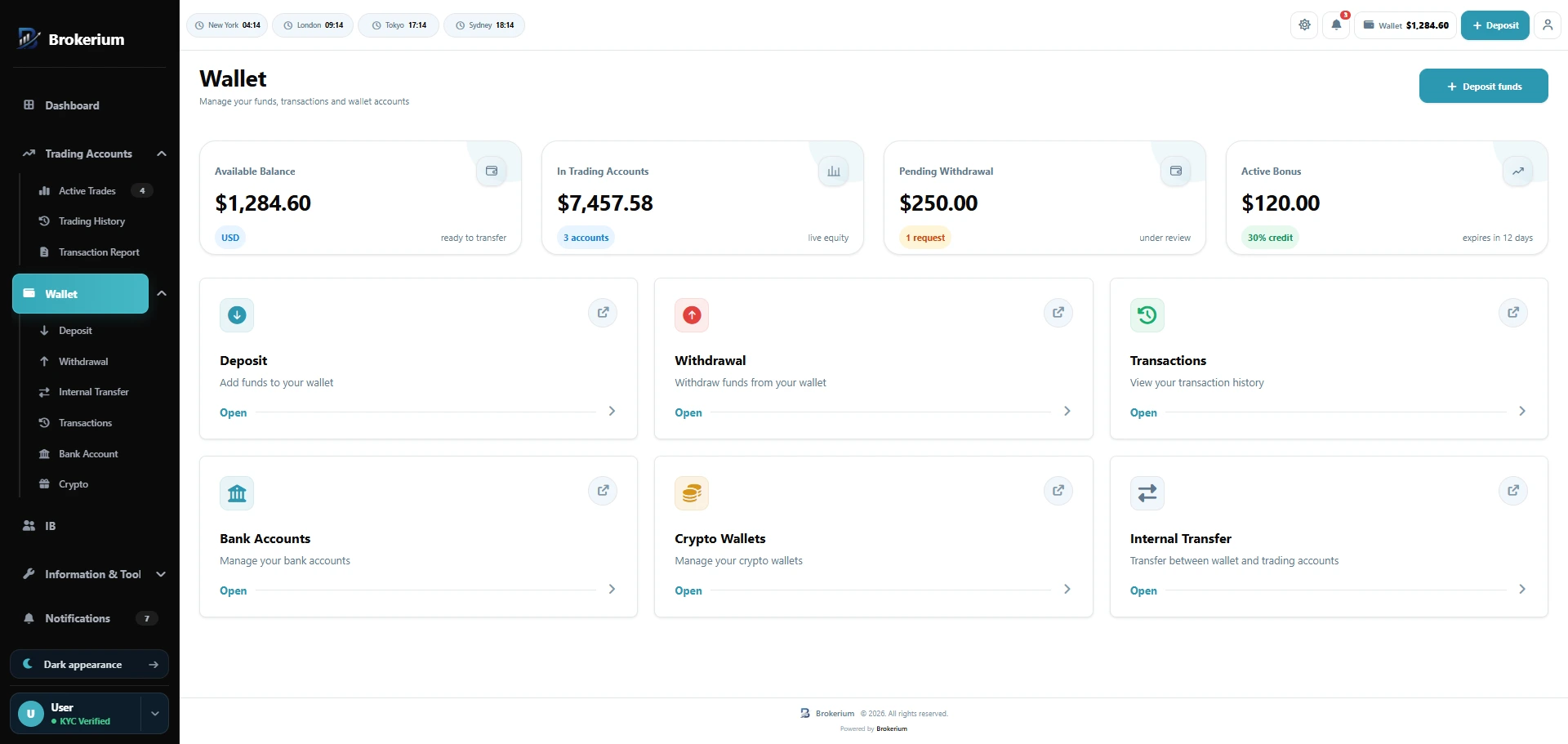
Card, bank, and crypto rails on one ledger.
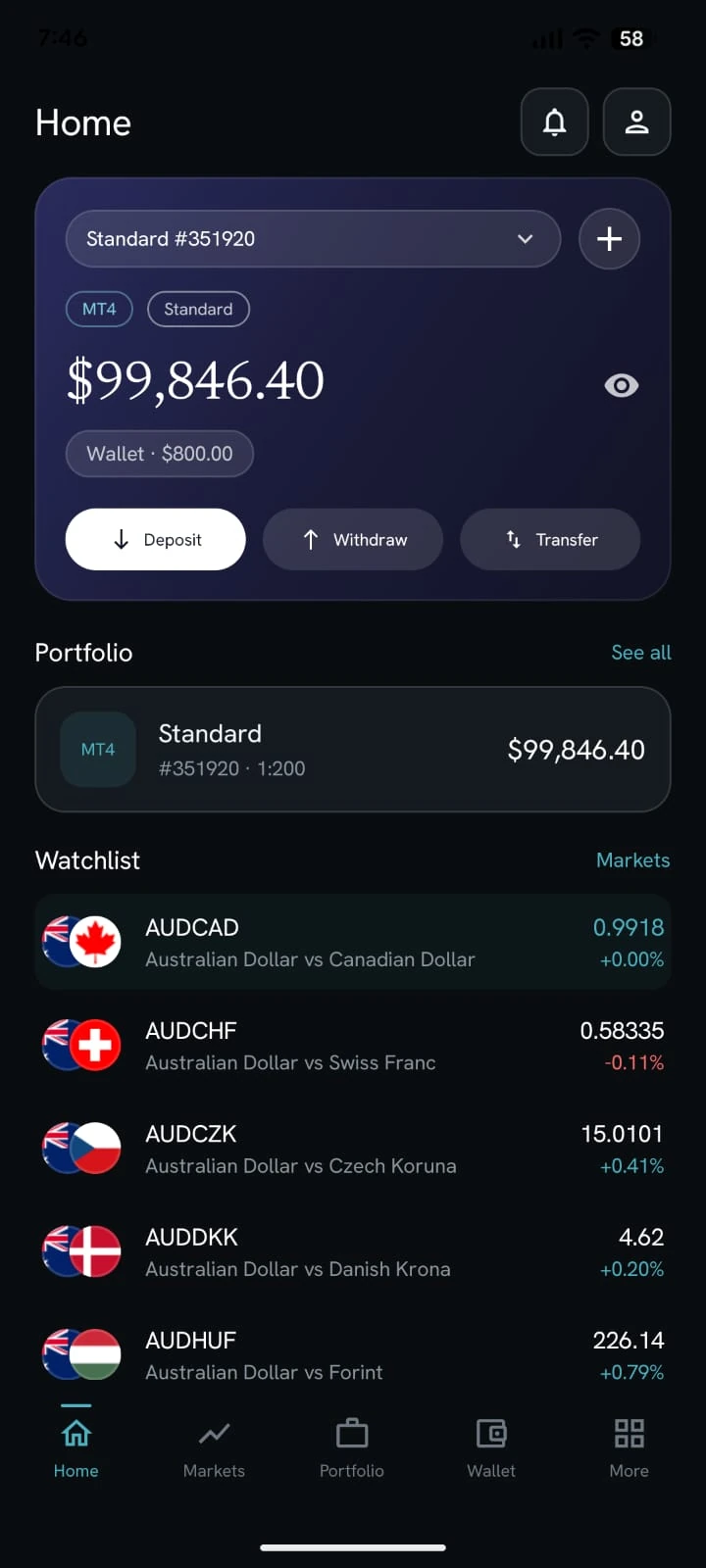
White-label app
What Brokerium does
Grounded in the live product.
- Wallet hub with balance and available (minus pending withdrawal hold)
- Deposit via card or other/crypto methods you configure, with amount, optional screenshot, and email OTP
- Withdrawal to bank or crypto destination
- Internal transfer: wallet → MT4/MT5, MT → wallet (instant or approval queue), account → account
- Bank accounts and crypto wallets CRUD
- Payment method catalogue: card link or network/address/QR, with an active flag
- Staff approve/reject and can initiate deposits or withdrawals
How staff use it
- 01Turn on the rails you actually use — card URL, bank, crypto address.
- 02Work the deposit, withdrawal, and optional transfer queues.
- 03Export a client’s wallet ledger as PDF from Client 360.
How the trader sees it
- 01Pick a configured method, enter an amount, attach proof if required.
- 02Move wallet funds into an MT4 or MT5 account from the cabinet or the app.
- 03See the hold when a withdrawal is pending.
Related pillars
01
Trader’s Room
Wallet, trading accounts, KYC, support, tools and partner access in one client cabinet — on web and a white-label mobile app.
↗
02
MetaTrader native
Create and manage MT4/MT5 accounts, balances, trades, credit and passwords.
↗
06
Staff back office
Client 360, cash queues, KYC, tickets, mail and permission-scoped staff seats.
↗
See it on your brokerage
Put the brokerage on one desk.
We’ll map Brokerium onto your MT4/MT5 servers and your brand — not the other way around.